Software delivery platform · licensed software, by ACX
The AI writes the code. SynACX holds the rest.
Getting an AI to produce code has become easy. Framing it, tying it to a backlog, knowing what is actually done, proving it, delivering it and putting it into production without breaking anything: that is where projects get lost. SynACX holds that chain end to end, installs on your own server, works with your tools — and lets nothing reach production without evidence and a human decision.
Free trial, no credit card. One account, two projects, the AI provided.
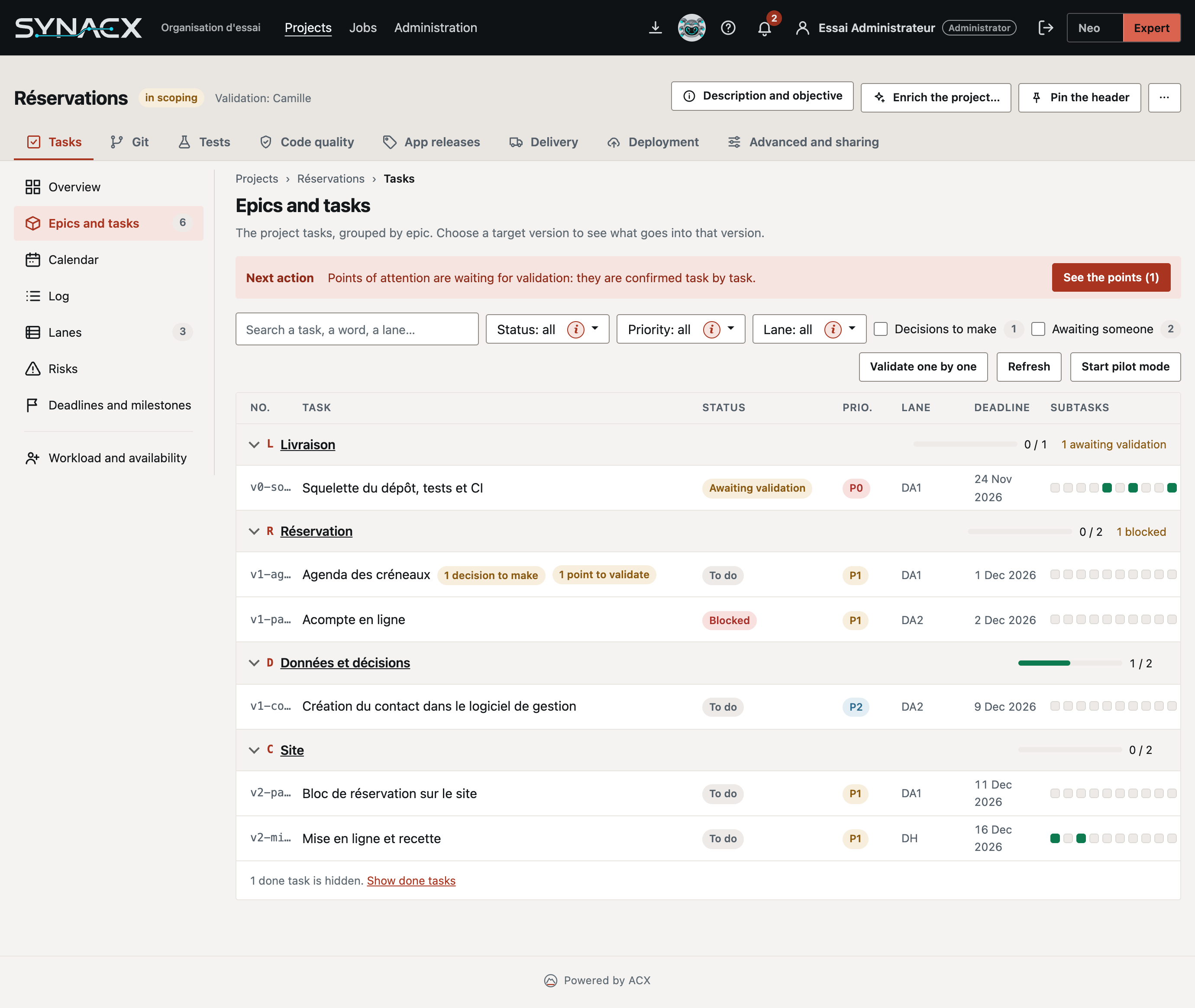
Project page
One project, one page. The tasks, the code, the tests, the quality, the releases, delivery and deployment — and at the top, the only thing that matters when you arrive: what is waiting for a decision, and the next action.
SynACX in one minute.
From ten years of DevOps tools to one person and their AI: what SynACX puts back in order — repository, tokens, fleet, backlog and delivery.
55 seconds, with English subtitles. The video loads from YouTube when you start it, not before.
Version 1.2.1 · released on 22 November 2026
New: Nyx sets things up with you, and a fleet you draw.
Version 1.1, on 16 November, rebuilt the project page and brought the version plan. Version 1.2, on 21 November, brought the Nyx assistant, the Nyx project, the fleet workshop, AI licences, project programmes and the import of an existing project. With version 1.2.1, on 22 November, Nyx prepares the configuration of AI licences, releases and the fleet with you. Every version is published with its notes, its signature and its checksums.
Nyx, the on-screen assistant
A button on every page. Nyx knows the object you are looking at, answers within your permissions, and offers its actions as cards: nothing goes out without your click. Since 1.2.1, it also prepares your settings, and every change can be undone.
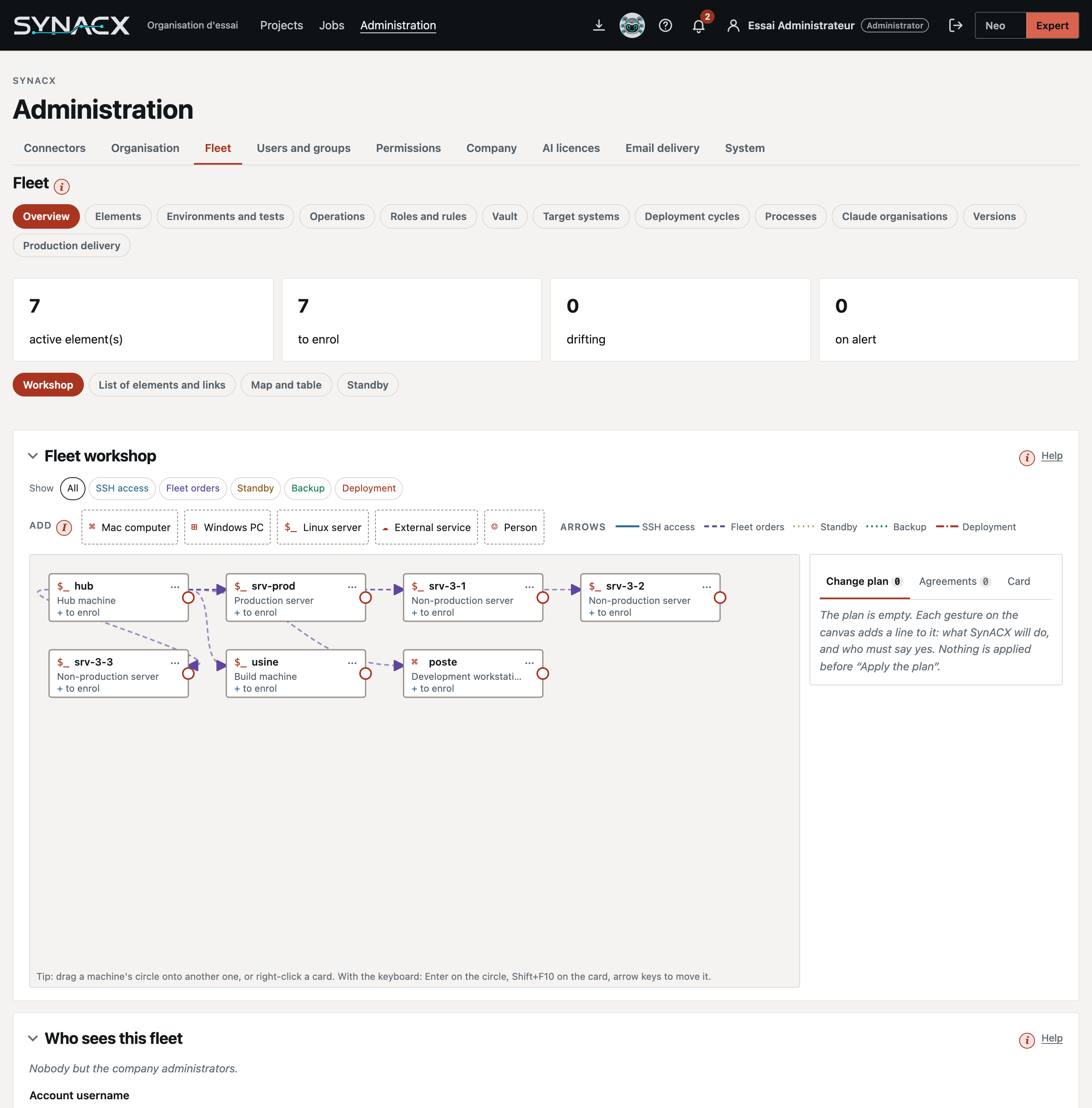
Your machines on a canvas: add them, link them, give them a role. The plan says what SynACX will do and who has to say yes. A machine enrols step by step, with no code to paste.
A repository, its backlog, a description: SynACX reads without running anything and proposes a plan that already knows what is done, with the evidence.
And also: Codex, if you choose it, as the server's AI engine and as a machine's development agent; a project page organised by question and usable by touch; closing several tasks in one go, and closing a defect in your backlog tool; searching a project's tasks by keyword or by Release, from Claude Code as well as from Nyx; continuous backup; a notice to administrators when a new version comes out.
Three failures, always the same ones, and none of them is a coding problem.
The agent does not know where it is.
Every session starts from scratch: the context is pasted back by hand, the house rules are explained again, and two sessions take two contradictory decisions on the same day.
« Done » means nothing.
The backlog says « done », the repository says otherwise, and nobody knows whether the tests passed on the right machine. Progress becomes an opinion.
Production is frightening.
Not knowing what runs where, what has changed and how to roll back, you either delay — or go in blind. Both are expensive.
Six movements, always in the same order.
This is not a method to apply: the product imposes it. Each movement leaves a trace the next one can read.
1
Scope
A dialogue with the AI turns a written need into a dated plan: work items, parallel lanes, dependencies, decisions to take, points of attention to confirm. The documents attached to the framing go along with it. You read it back, you correct it, you approve it.
2
Generate
SynACX creates the backlog list and its tasks, the Git repository, the first commit, the agent's instruction file, one prompt per work item and the project's guard rails. Replayable: a rerun never creates a duplicate.
3
Delegate
The development agent — Claude Code or Codex — receives the context of the current work item and reports back the same way. It works inside your rules, not beside them. And Nyx, on every page, answers your questions about what you are looking at.
4
Prove
Commits, branches, tests, coverage, code quality: SynACX reads them from the repository and receives them from the machines. A work item does not become « done » without its proof of tests.
5
Deliver
A versioned delivery strategy states what triggers what: milestones, merge queue, attestations, the four-eyes rule. The GO remains a person's act.
6
Deploy
Your cycle, your environments, your machines. SynACX computes the plan — who acts, where, what could prevent it, how to roll back — and has it carried out through signed orders. The server itself never executes anything.
The application, as it runs.
Real screenshots of the application, with test data.
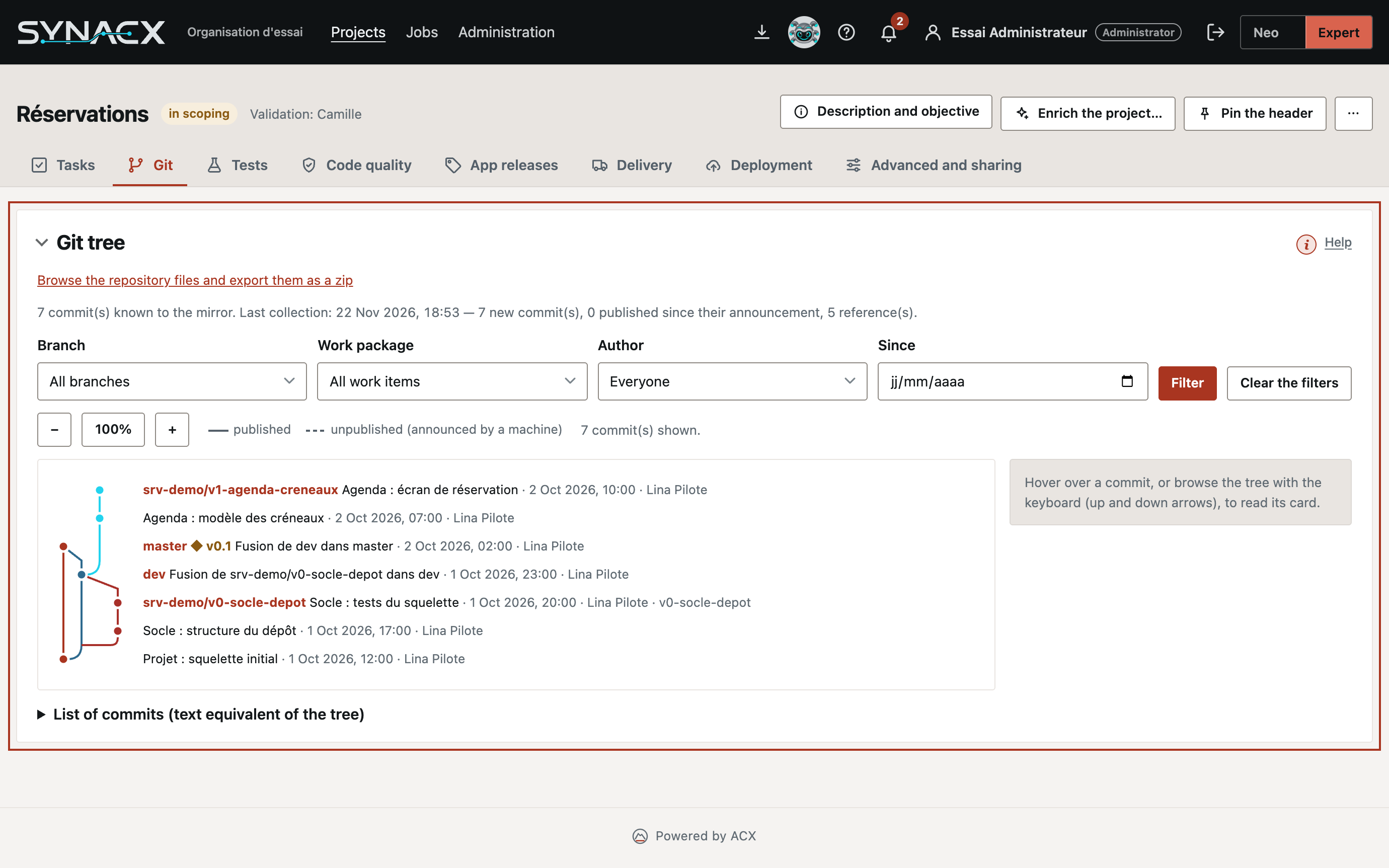
Git
Git The graph of commits and branches, and the link — won once, never lost — between a commit and the work item it serves.
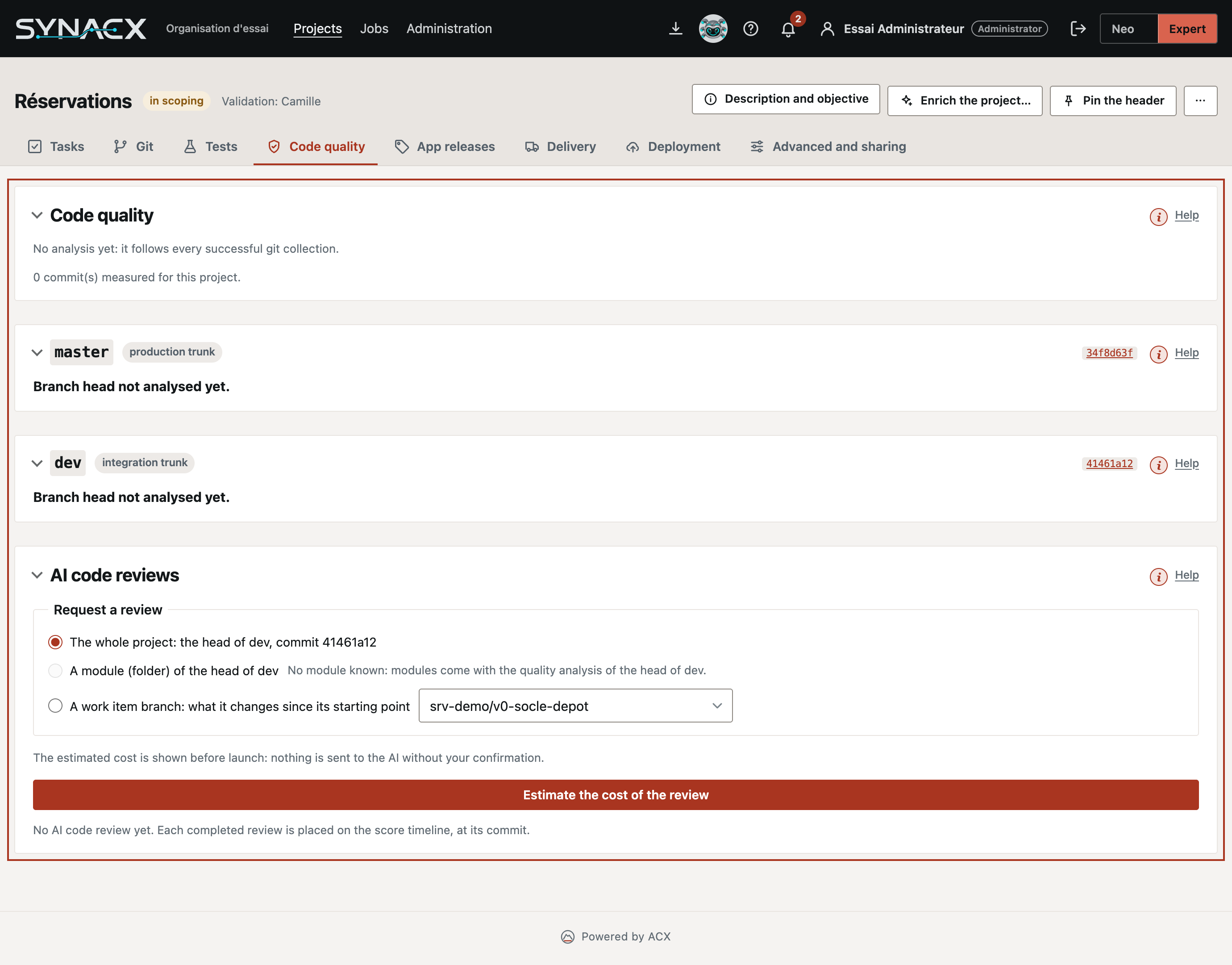
Code quality
Code quality A score measured commit by commit — complexity, over-long functions, duplication — and what made it drop since last time.
Delivery
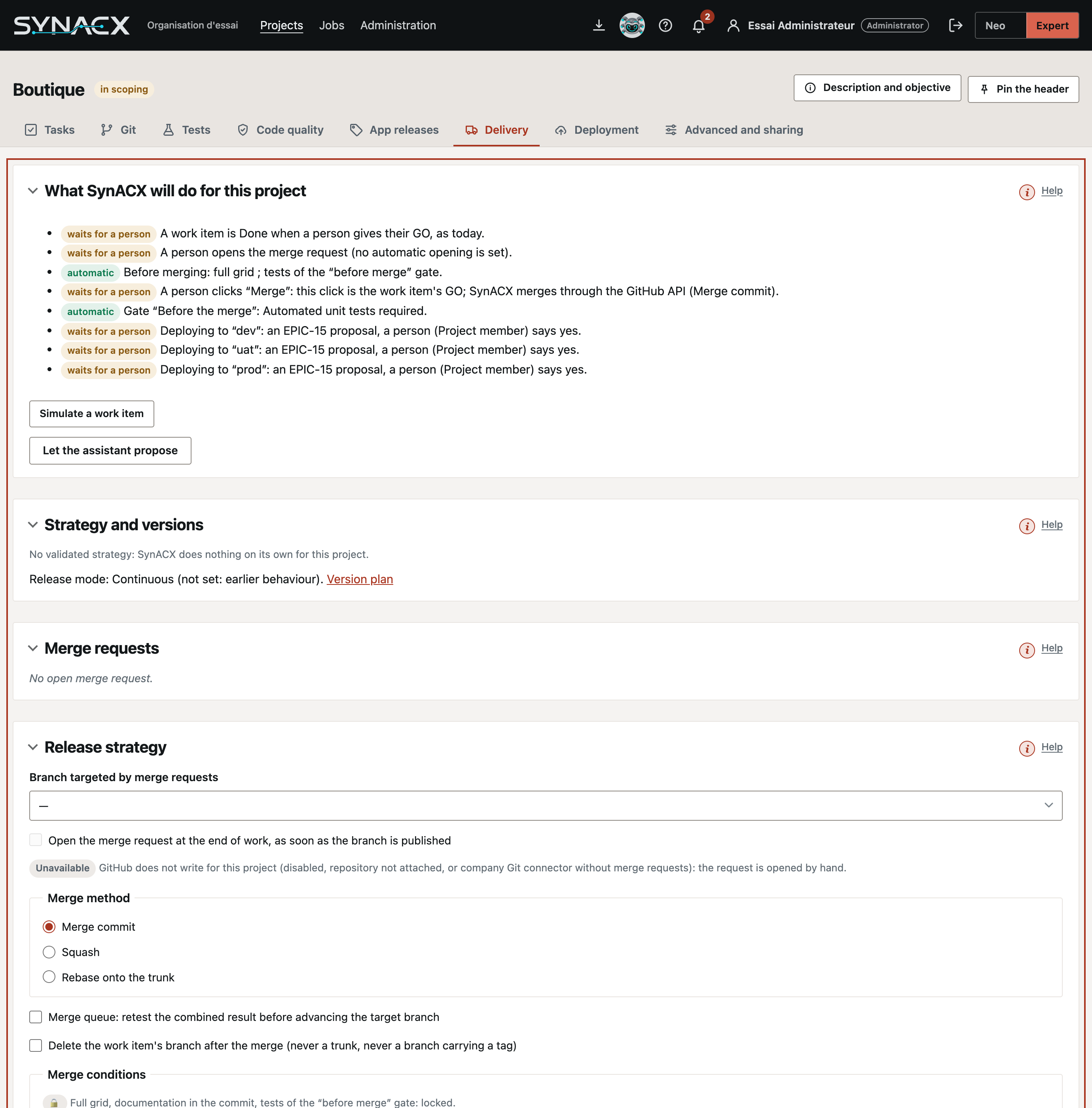
Delivery The strategy in force and its milestones: what triggers what, what is waiting for an attestation, and who has to countersign.
Deployment
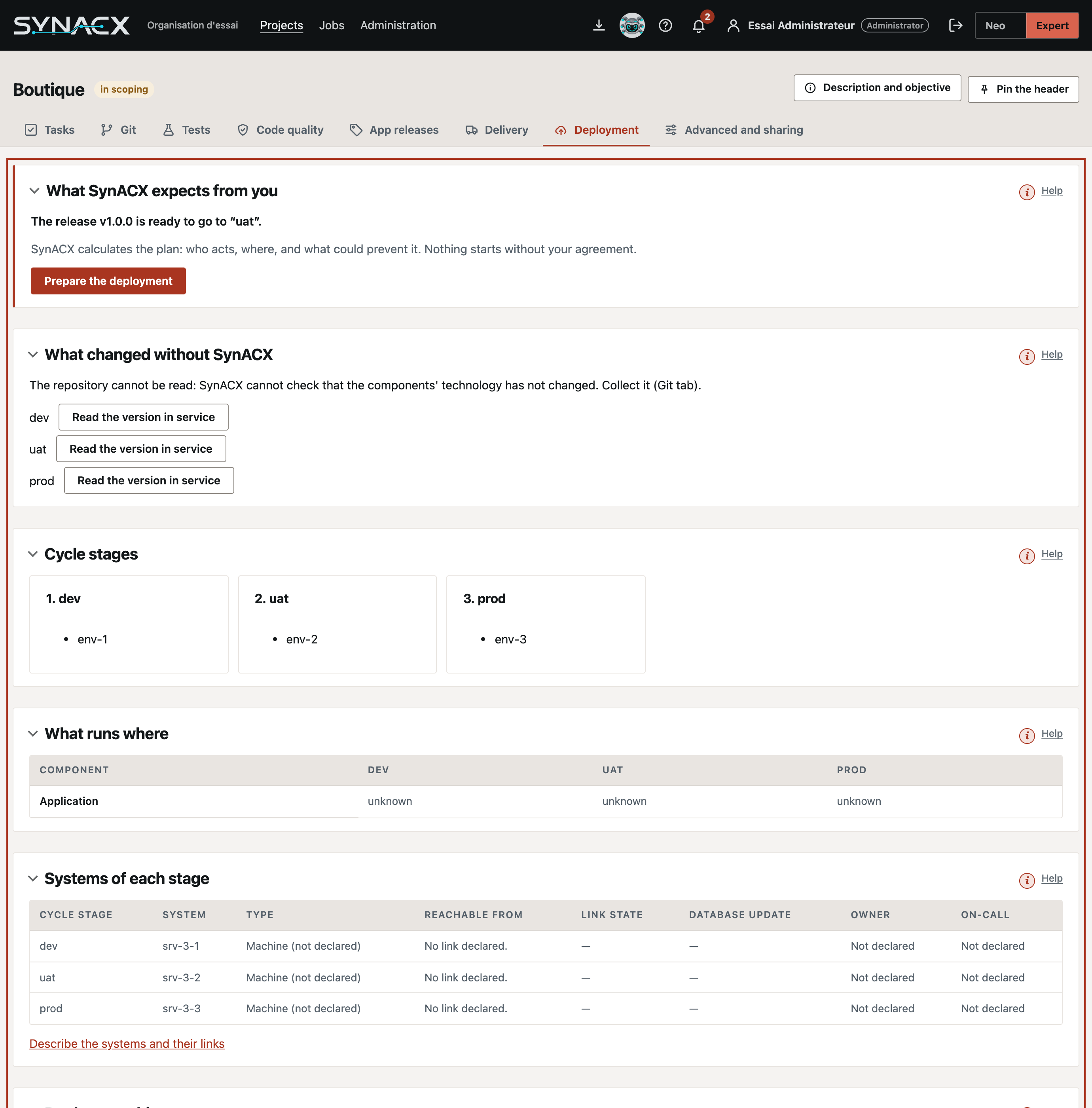
Deployment What SynACX expects from you, the stages of your cycle, what runs where — and what changed without going through the platform.
Fleet
Fleet The registry of your machines — workstations, build servers, production servers — with their role, their agent and what a signed order is allowed to do there.
In-app help
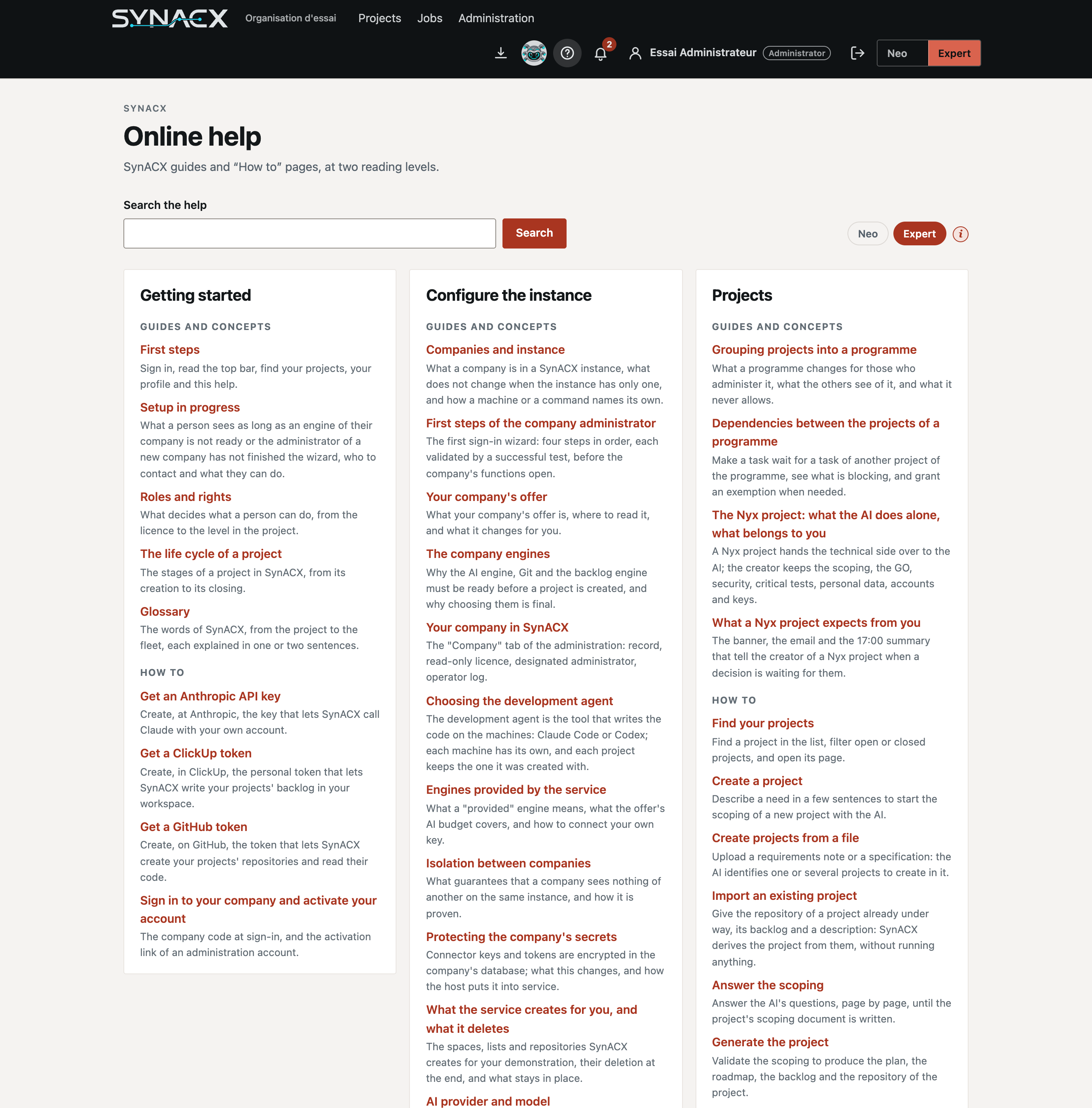
In-app help 199 pages in each of the three languages, at two reading levels. A new feature arrives with its help page, in the same commit as its code.
SynACX Connect
Claude Code works inside the platform, not beside it.
One plugin, one connection authorised once, and the agent sees the project, the current work item, its rules and its guard rails. It reports back the same way: no more pasting context, no more tracking kept twice.
OAuth 2.1 sign-in: every workstation is known, authorised once, revocable with one click.
MCP server: the agent reads the context and writes the progress with exactly your permissions.
Active context: « Work in Claude Code » from a project, and every new session receives it.
No side door: an action taken by the agent goes through the same guards as the same action taken on screen.
The cockpit in the Claude Code panel: your day, the current task, and the pending validations reviewed one question at a time.
Everyone sees what they need to do next.
The role says what; experience changes how it is written, never the rights. Two readings of every screen, « Neo » and « Expert », without ever removing an action.
Business owner
What is waiting for their approval, the decisions due before a date, and where delivery really stands.
Architect
The plan, the lanes, the dependencies, the code quality and the AI's reviews.
Developer
Their work item, its prompt, its guard rails, and the button that opens the Claude Code session in the right place.
Operations
The fleet, the environments, the scheduled jobs, the sealed releases and the deployment plans.
Four rules built into the product.
Not intentions: behaviours, held by tests, that no setting can lift.
On your premises.
SynACX installs on your own server. Your code, your backlog, your secrets and your data stay with you. A company's secrets are encrypted in the database, and the service refuses to start without its key.
Nothing silent.
A disabled integration says so. A failure keeps its trace. A refused action gives its reason. There is no quiet fallback that would make a failure look like a success.
Replayable.
Every job records what it creates as it goes. A rerun picks up where it stopped and never creates the same task, repository or ticket twice.
A person decides.
The AI proposes, measures, drafts. It does not give the GO and does not deploy to production. Even in a Nyx project, where it makes the technical choices, the framing, production and the sensitive decisions stay with a person. A protection is never configured from the screen it protects.
In service, not in preparation.
7licence modules, activated one by one
199help pages, in each of the three languages, at two levels
11,300+automated tests on version 1.2.1
3interface languages: French, English, German
SynACX is used by ACX to run its own projects and those of its clients, and is installed at a client in production use. It is built with itself: its roadmap, its work items and its deliveries live in a SynACX instance.
A fixed price to start, a licence that fits your size.
A fixed setup fee, then an annual licence that follows the number of people, the number of projects run at the same time and the modules you need. The simulator gives a priced quotation in thirty seconds.
Two weeks, one account, two projects, with the AI, the Git repository and the backlog provided by us. You fill in a form, you confirm your address, and your space is ready.
One hour, your real project, your backlog. We frame it together, SynACX generates, and you see what it gives on your own data — not on a prepared demonstration.