Without the platform
You paste the specification, re-explain the conventions, recall what has already been decided, copy the ticket across. Ten minutes per session, and a one-in-two chance of forgetting the rule that matters.
SynACX Connect
Claude Code connects to your SynACX instance. It receives the project, the current work item, the house rules and the guard rails ; it writes its progress back the same way. No more context pasted by hand at the start of every session, and no more tracking kept twice.
A coding agent is very good at a well-posed task. All the cost is in what surrounds it.
You paste the specification, re-explain the conventions, recall what has already been decided, copy the ticket across. Ten minutes per session, and a one-in-two chance of forgetting the rule that matters.
What was done has to be carried over by hand : the ticket, the report, the state of the work item. That transfer is done badly, or not at all, and progress becomes an opinion again.
The agent reads the context of the work item and writes its own report, under your identity and with your permissions. The ticket follows, the roadmap follows, and proof of tests is required just as it is on screen.
From your account in SynACX, the “Downloads” page gives you the plugin and the steps to follow, through the Claude Code menus. Nothing to configure by hand: the address of your instance is already in it.
On first connection an « Authorise » page opens in your browser : you sign in to SynACX as usual and authorise this workstation. Once, not at every session.
On a project or a work item, « Work in Claude Code ». Every session opened afterwards knows what it is working on — and the plugin's banner offers it inside a session that is already open.
The agent reads the work item's prompt, its dependencies, what upstream items have established and your guard rails. It starts the item, reports its measurements and writes its report : the platform is up to date without anyone copying anything.
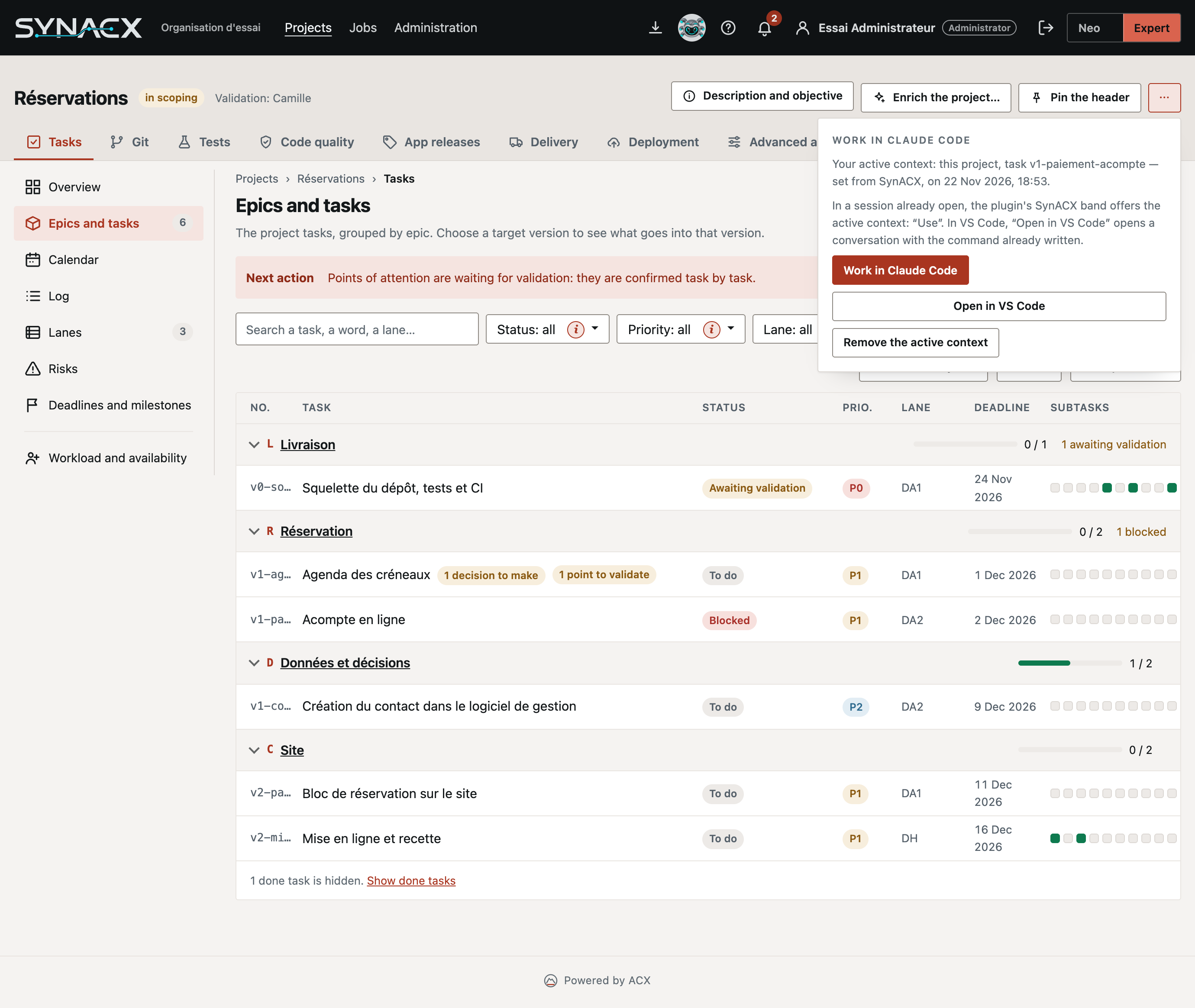
The plugin adds a panel next to the conversation. What SynACX is waiting for from you can be read there without opening the browser, and the everyday actions are done there, with confirmation.
What is waiting for your decision, your GO or your validation, and the current task with its checklist, in a single tab.
The /synacx:valider command asks, one question at a time, what is waiting for your answer in a project. You stop whenever you like; /synacx:agenda, /synacx:contexte and /synacx:reprendre do the rest.
Deliver or reject a task, after confirmation, through the same safeguards as on screen. The roadmap, the releases and your AI consumption have their own tabs.
The plugin sends SynACX the amount and the duration of each session, nothing else, and sending can be switched off workstation by workstation. This cost is kept apart: it is never mixed with the platform's own AI consumption.
An AI licence assigned to your machine reaches the workstation through the plugin, with no copy and paste, and is erased when it is cut off or replaced.
The plugin notices when your instance serves a newer version of it, says so, and offers to update itself.
The development agent is chosen machine by machine. A machine that works with Codex receives the same block of instructions and the address of the same SynACX tools, and its sessions are started from the fleet just like Claude Code's.
/synacx: commands belong to the Claude Code plugin.Giving tools to an agent means giving it rights. They are exactly yours, and not one more.
Every tool exposed to the agent matches a feature the permission matrix already knows. If the feature is denied to you, the tool is denied too, with the same reason.
Marking a work item done through the agent applies every guard of the on-screen GO : role requirement, four-eyes rule, proof of tests. A product test verifies that no other path exists.
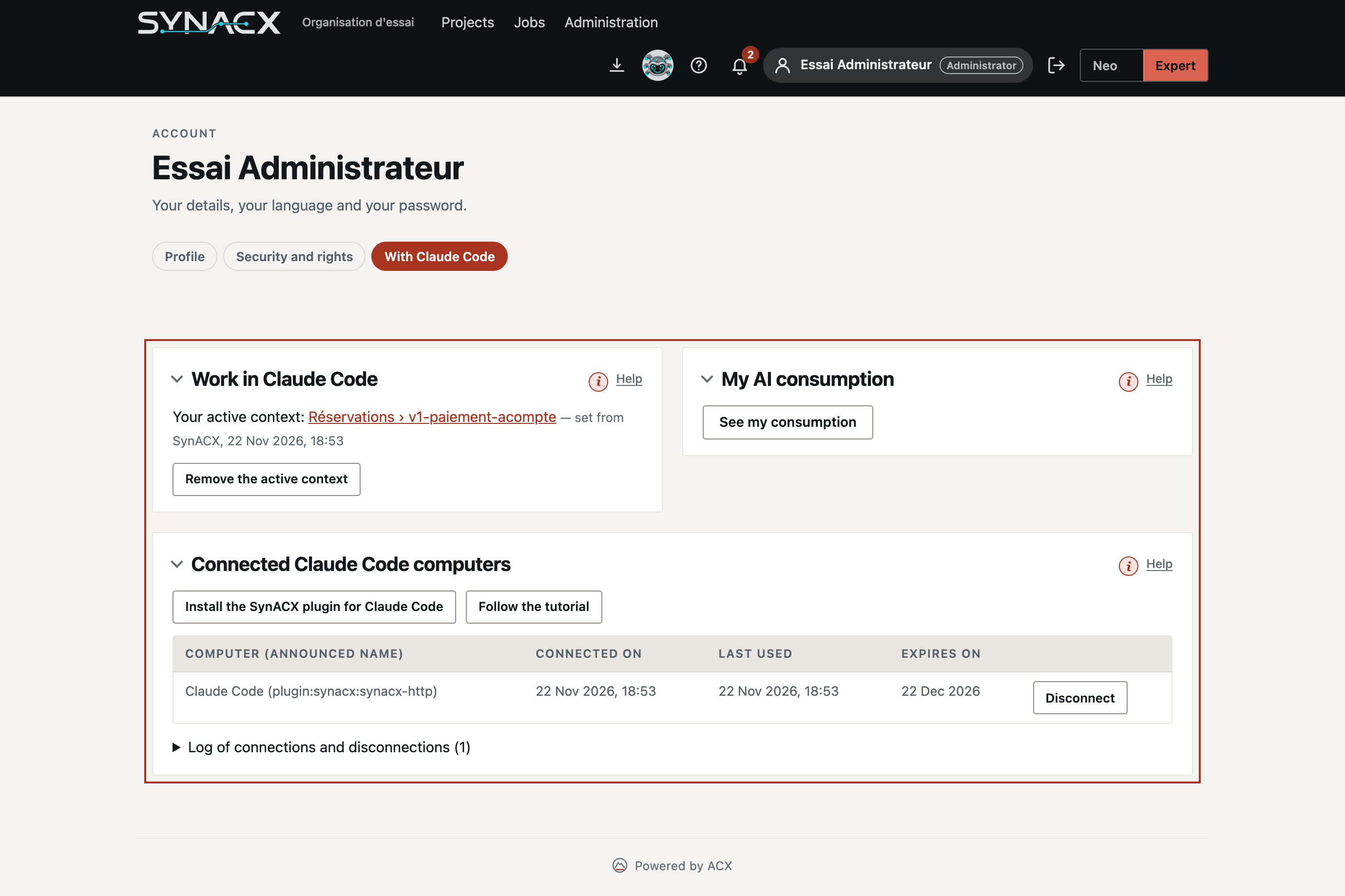
A workstation registers with the instance before it can ask for anything. You see your workstations under « My account » and disconnect one with a click ; the administrator can do it for the whole company.
A password change, a deactivation or a withdrawal of rights closes the workstations in the same write. There is no moment at which the old access still counts.
What the platform passes to the agent is presented to it as data. A project name written by a user never becomes an instruction there.
An action coming from a workstation carries both the person and the workstation in the work item's log, and every connection or disconnection has its line, with its reason.
The trial includes everything : the plugin, a project, and the AI provided. In half an hour you watch a work item go from its prompt to its report, without copying anything.